Built for seniors • Powered by family

Scam call protection for a loved one’s existing number.

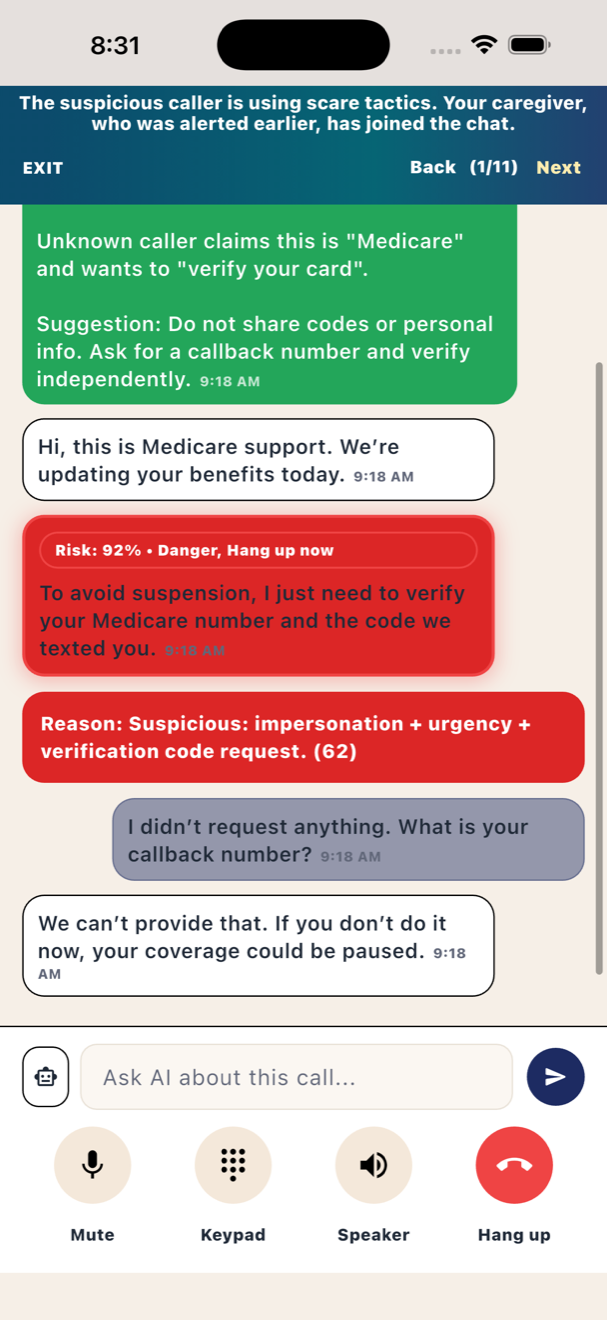
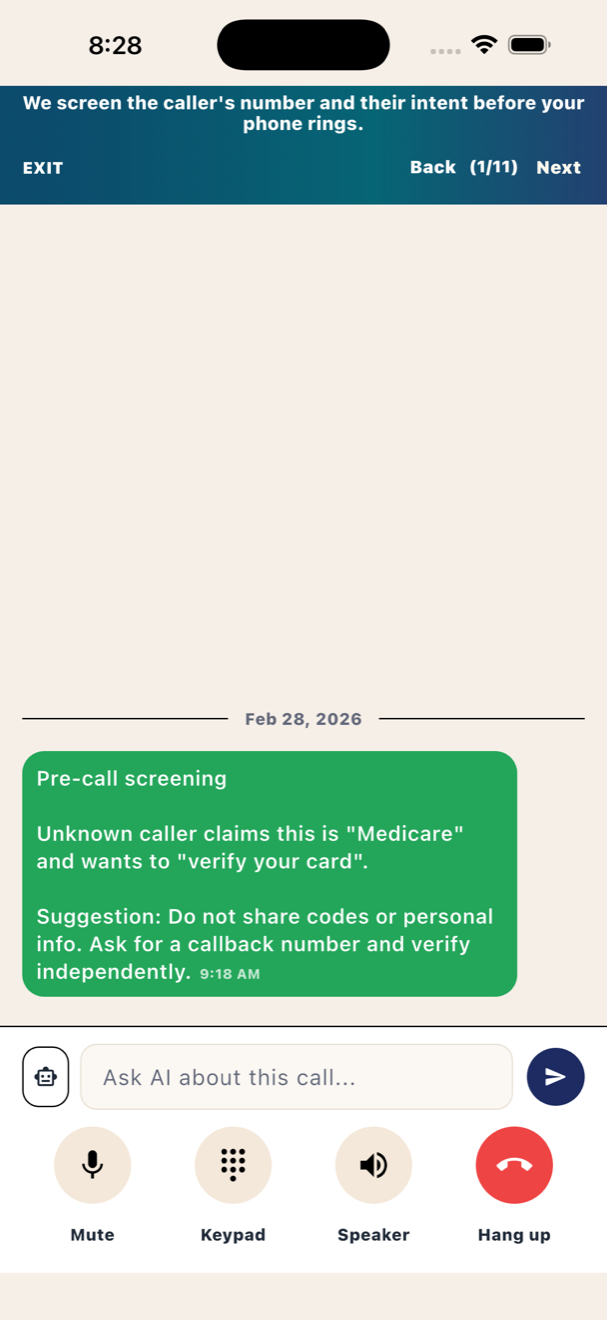
Boontel adds a safety layer using call forwarding. When your loved one answers in the app, Boontel highlights risky patterns and lets a family caregiver join to help in real time.

No emergency calling (911/988). Boontel is not a phone replacement. In‑app calls require internet access (Wi‑Fi or mobile data). Detection is not guaranteed and may be inaccurate.

  • Keep the senior’s phone number (call forwarding).
  • Invite a caregiver to join when something feels off.
  • Trusted contacts reduce false alarms.
  • Privacy controls for transcripts/recording (optional).

How Boontel works

The goal is simple: keep the senior’s familiar number, add clear guidance, and make it easy for family to help at the right moment.

Turn on call forwarding

Forward the senior’s carrier number to a Boontel guardian line. Their number stays the same.

Answer in Boontel (Wi‑Fi/data)

When they answer in the app, Boontel can show clearer risk prompts and optional summaries.

Invite a caregiver to join

If a call feels suspicious, invite a family caregiver to join and help handle the conversation.

Features that match real scam scenarios

Built to reduce panic and confusion under pressure — without turning Boontel into a full phone replacement.

Call‑forwarding protection

Works with the senior’s existing number via carrier call forwarding.

Clear risk prompts

Simple, senior‑friendly “slow down / verify” guidance when a call seems risky.

Caregiver join (invite‑based)

Bring in a family member when needed. Not an on‑demand call center.

Trusted contacts

Whitelist family/friends to reduce unnecessary warnings and reduce friction.

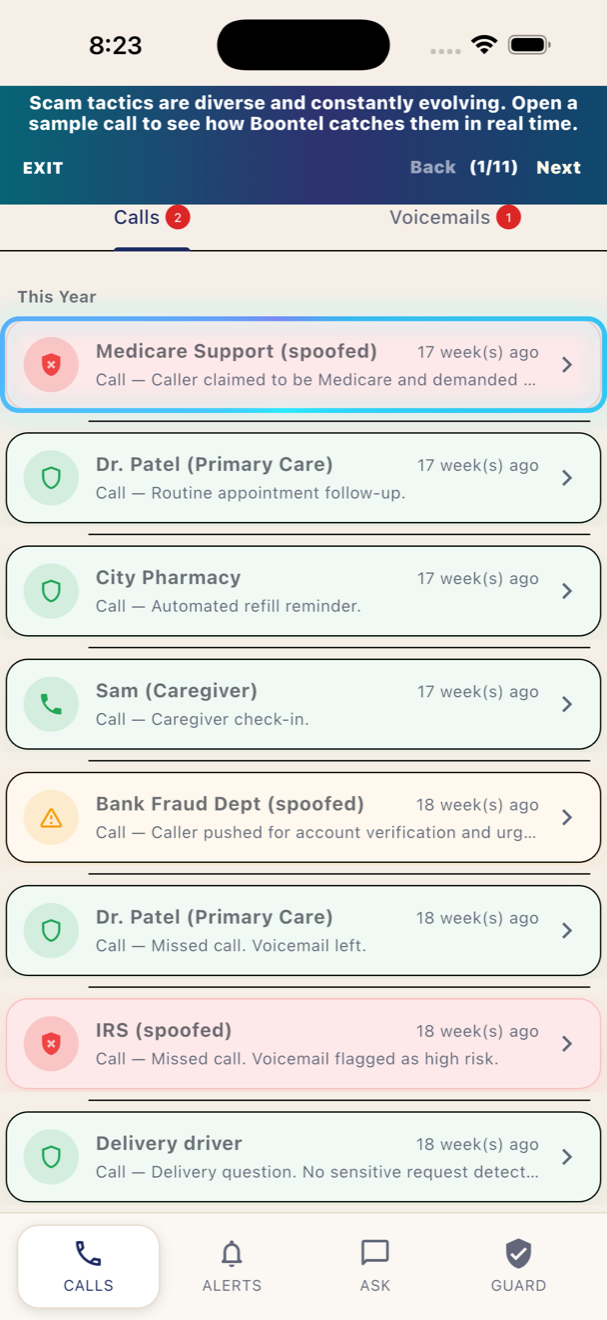
Call history & follow‑up

Optional summaries help families follow up after a suspicious call.

Privacy controls

Recording/transcription options are user‑controlled and consent‑first.

Value map

Boontel is designed for two people: the senior who needs simplicity, and the caregiver who needs visibility without overwhelm.

For seniors

  • Fewer “what do I do?” moments during a stressful call.
  • Clear reminders not to share codes or payment information.
  • One‑tap caregiver invite when unsure.
  • Large text and simplified UI.

For caregivers

  • Get pulled in only when needed (invite‑based).
  • Optional summaries for follow‑up and coaching.
  • Help tune trusted contacts and settings over time.
  • Access is invite‑only and revocable.
Ready to protect a loved one?
Start by creating an account. App store links can be placed here once your listings are live.

FAQ

Short answers to the questions families ask most.

Do we need a second phone number?

No. Boontel is designed to work with the senior’s existing carrier number via call forwarding.

Does Boontel support emergency calling?

No. Boontel does not support 911/988. Use the native Phone app (carrier) for emergencies.

Does it work without internet?

In‑app calls require internet (Wi‑Fi or mobile data). If there’s no connection, use the normal phone app.

Does Boontel send/receive SMS?

No — Boontel focuses on voice call protection and caregiver assistance.

Is it guaranteed to detect scams?

No. Boontel may miss scams or flag safe calls. It’s designed to reduce risk, not guarantee outcomes.

Is recording/transcription required?

No. If available, those features are optional and consent‑controlled.